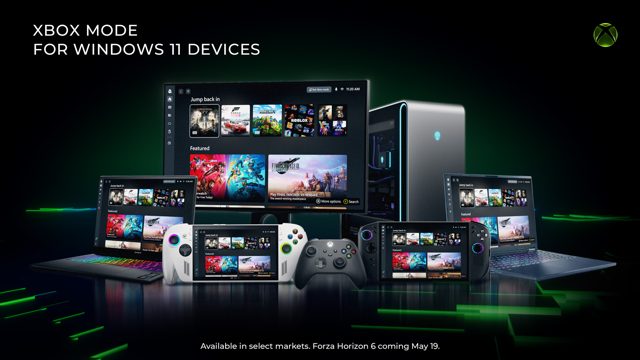

Microsoft has rolled out a new feature known as Xbox Mode, designed primarily for users who prefer controller-based navigation and gaming on Windows devices. This mode tailors the operating system interface to be more accessible and intuitive when using an Xbox controller, simplifying the user experience for console-style interaction.
The functionality of Xbox Mode focuses on optimizing the Windows environment for controller input. When activated, the system adjusts interface elements such as menu navigation, on-screen controls, and application shortcuts to respond seamlessly to controller commands. This eliminates the need for a keyboard and mouse in many standard operations, making it a practical solution for users who want a unified gaming and productivity setup.
How Xbox Mode Works
Xbox Mode operates by remapping standard controller buttons to perform specific Windows functions. For example, the A button may confirm selections, the B button returns to previous menus, and the Xbox button opens the Game Bar or a dedicated dashboard. The mode integrates with existing Windows settings, allowing users to toggle it on or off through the system’s accessibility or gaming menus.
Microsoft has designed this mode to work across a range of controller models, including the Xbox Wireless Controller and third-party compatible devices. The feature is currently available on Windows 11 and select Windows 10 builds, with support for both wired and wireless connections. Users must have the latest system updates installed to access the functionality.
Pricing and Availability
Xbox Mode is a free feature included within the Windows operating system. No additional subscription or purchase is required to activate it. Microsoft has not announced any premium tiers or paid upgrades for this functionality. The rollout is gradual, with regional availability expanding over the coming weeks. Official documentation and support pages are being updated to guide users through setup and troubleshooting.
Analysts note that this move aligns with Microsoft’s broader strategy to blur the lines between console and PC gaming ecosystems. By offering a controller-first interface, the company aims to attract users who prefer living room-style gaming setups or who have accessibility needs that make traditional input methods challenging.
Looking ahead, Microsoft is expected to refine Xbox Mode based on user feedback, potentially adding customizable button mappings and expanded support for legacy controllers. No official timeline has been provided for these updates, but early adopters can expect iterative improvements in future Windows feature updates. The company has also hinted at deeper integration with its cloud gaming services, though specific details remain unconfirmed.